
BitCloud: MineServer
SR INFOSOFT LTDFinance
3.922.00 Reviews
- Version
- 1.9
- Installs
- 50.00K
- Age Rating
- Everyone
Screenshots
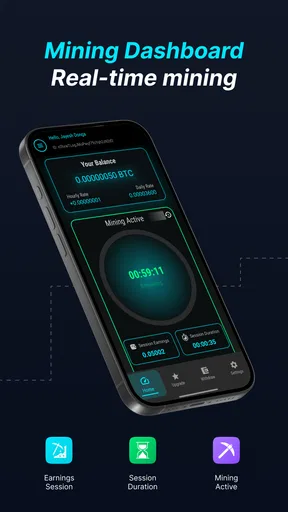
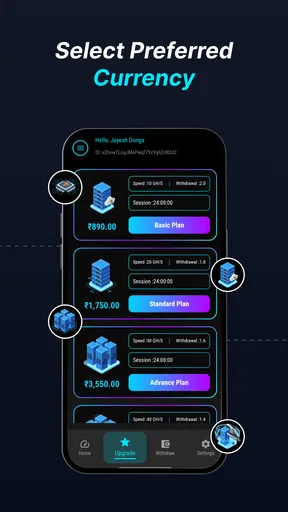
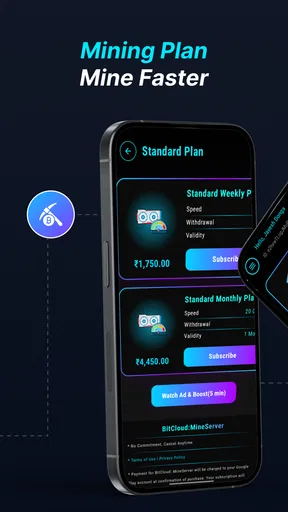
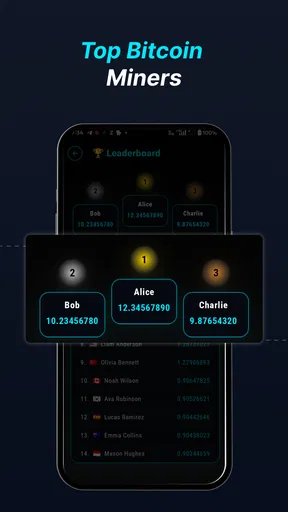
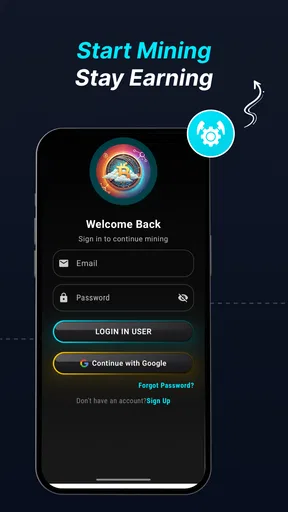
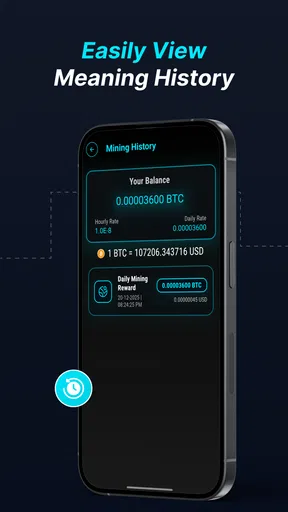
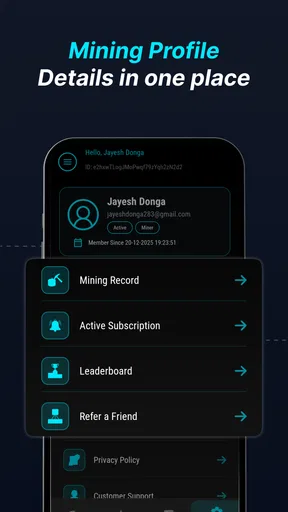
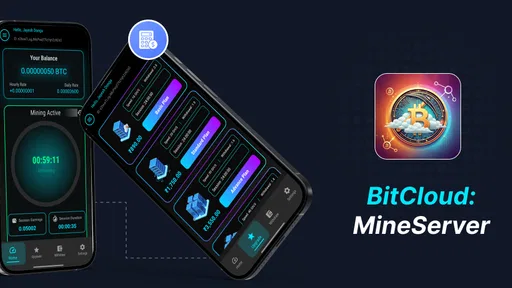
Our Review of BitCloud: MineServer
 Analysis by Appyee
Cloud-mining apps are easy to misunderstand, so I approached BitCloud: MineServer with one question in mind: does it make the idea of mining from a phone simple enough to explore, without pretending that a mobile screen can replace serious mining hardware? My conclusion is fairly clear. This is a lightweight finance app for people who want to try a cloud-based mining experience, but it should be treated as an introductory tool rather than a dependable income source.
That distinction matters. The app’s central appeal is convenience: instead of setting up equipment, managing cooling, or learning a full desktop mining system, I can open the app and begin exploring its BitCloud service. At the same time, the convenience comes with an important trade-off. A simple interface can make a complicated financial activity feel safer and more predictable than it really is. I would recommend using it cautiously, with a small experimental mindset and no expectation of guaranteed returns.
What using BitCloud: MineServer feels like
BitCloud: MineServer is a free Android finance app from SR INFOSOFT LTD. It is aimed at starting cloud mining through a mobile-friendly service, and the overall concept is much closer to a guided entry point than to a professional mining workstation. I found the idea approachable because it removes much of the technical setup that normally discourages newcomers.
The app is available to an Everyone audience, supports Android 7.0 and later, and is currently at version 1.9. Those details make it accessible on a wide range of older and newer Android phones. That broad compatibility is useful if I want to test the service on a spare device rather than install it on my main phone, although compatibility alone should not be confused with financial suitability.
Its store presence shows a 3.9 average from roughly four hundred ratings, with more than twenty written reviews and over fifty thousand installs. I read that as evidence of a modest user base rather than a mature, universally trusted platform. There is enough activity to suggest that people are trying it, but not enough to make popularity a substitute for checking how the service works for myself.
The strongest part is the low barrier to entry
The most convincing strength is the reduction of friction. Traditional cryptocurrency mining can involve hardware selection, electricity costs, software configuration, wallet management, and ongoing maintenance. A cloud-mining app presents a much simpler starting point. For someone who has heard about mining but does not know where to begin, opening a mobile app is less intimidating than assembling a computer-based setup.
I also like the fact that the app’s purpose is easy to understand. It is not trying to be a general banking suite, a trading terminal, or a crowded portfolio manager. Its identity is centered on BitCloud and MineServer, so a newcomer can approach it with a specific question: do I want to explore this cloud-mining model? That focus is more useful than a collection of unrelated financial tools when the goal is simply to learn the basic workflow.
Another practical benefit is portability. I can check the service from a phone rather than remain tied to a desktop. That makes it suitable for occasional monitoring during a commute, a lunch break, or a quiet moment at home. However, portability is most valuable when it helps me observe activity without encouraging constant checking. Mining-related services can create a habit of repeatedly refreshing balances, even when there is no meaningful change.
Why cloud mining should not be confused with phone mining
The wording around mobile mining deserves careful attention. An app like this is best understood as an interface to a cloud-mining concept, not proof that the phone itself is performing the same work as dedicated mining equipment. That difference affects expectations about battery use, processing power, and potential results.
If I were reviewing it for a friend, I would explain that the phone is mainly the access point. The important questions are therefore not whether the handset has a powerful processor, but how the service operates, what the account balance represents, what conditions apply to withdrawals, and whether any costs can outweigh the value received. A polished mobile screen cannot answer those questions by itself.
This is one of the app’s less obvious learning opportunities. The simple presentation can be useful if I use it to understand the vocabulary and workflow of cloud mining. It becomes risky if I interpret a visible balance as guaranteed cash. I would keep a written record of any deposits, purchases, or withdrawals outside the app so that I can judge the experience using real money movement rather than an in-app figure alone.
The cost question changes the whole experience
The application is free to install, but it includes in-app purchases ranging from $4.49 to $649.99 per item. That is the point where my evaluation becomes more cautious. A free download can be a reasonable way to inspect the interface, yet optional spending can quickly turn a low-risk experiment into a substantial financial commitment.
I would not begin by purchasing anything. First, I would explore the available screens, read every condition attached to a paid option, and understand how the service describes mining activity, account credit, and withdrawals. Only after that would I decide whether spending a small amount makes sense. The upper end of the purchase range is especially significant: it is large enough that users should treat it like a serious financial decision, not like an ordinary app upgrade.
A useful personal rule is to compare the total amount paid with the amount that can realistically be withdrawn, not with a projected figure shown inside the service. I would also avoid borrowing money, using rent funds, or treating a purchase as an investment that must recover itself. If the only reason to spend more is the hope that a previous payment will eventually be recovered, I would stop rather than increase the commitment.
A realistic everyday scenario
Imagine a user named Daniel who has read about cryptocurrency mining but does not own a computer suitable for it. He installs the app on an older Android phone, creates an account if the service requests one, and spends a few days learning what the dashboard means. He checks whether the app explains the mining arrangement clearly and whether the withdrawal process is understandable before paying anything.
That is a sensible use case. Daniel is using the app as a guided introduction and a way to decide whether cloud mining interests him. He is not relying on it to pay a bill, and he is not assuming that a displayed balance equals profit. If he later chooses to test a low-cost purchase, he records the amount, waits to understand the result, and checks whether the practical outcome matches the expectation.
The same situation becomes problematic if Daniel sees a larger purchase option and assumes that spending more automatically produces a proportionally better result. Without a careful understanding of fees, conditions, timing, and withdrawal rules, that assumption could expose him to more risk than he intended. The app makes access easy; it does not remove the need for financial judgment.
Where the experience feels limited
The main weakness is not that the idea is mobile or simplified. It is that simplicity can leave important financial questions feeling more important than the interface itself. For a serious user, a cloud-mining service needs to be judged by transparency and outcomes, not just by how quickly the first screen can be opened.
I would want to understand the complete path from starting the service to receiving anything outside the app. Before spending, I would look for clear explanations of what is being purchased, how any earnings are calculated, whether there are minimum withdrawal conditions, and which costs might reduce the final amount. If those details are difficult to locate or written in vague language, I would consider that a meaningful limitation.
There is also a psychological weakness. A phone makes frequent checking effortless, and finance apps can turn small fluctuations into a daily routine. With a cloud-mining product, constant monitoring is unlikely to improve the underlying result. I would set a review schedule instead of opening the app every few minutes. That simple boundary helps separate learning from speculation.
The app is also not the right replacement for a full cryptocurrency wallet, an exchange, or a hardware-mining setup. Those alternatives serve different purposes. A wallet is designed around custody and transfers, an exchange focuses on buying and selling, and hardware mining gives the user more direct control over equipment and operating costs. BitCloud: MineServer is more convenient than those approaches for an initial cloud-mining experiment, but convenience means accepting less direct control.
How it compares with the usual alternatives
Compared with buying cryptocurrency through an exchange, this app takes a different route. An exchange gives me a direct way to acquire an asset at a known market price, while cloud mining exposes me to the economics and conditions of a mining service. If my goal is simply to hold or trade cryptocurrency, an established exchange may be easier to understand. If my goal is to learn how mining contracts or cloud-based mining operate, this app is more relevant.
Compared with mining on a personal computer, the mobile approach is less demanding to start. I do not need to choose hardware or keep a machine running, which is a genuine advantage for beginners. The downside is that I am trusting the service rather than controlling the equipment. A person who values technical transparency, direct ownership, and the ability to verify operating costs may prefer a self-managed setup, even though it requires more knowledge.
Compared with simply holding money in a traditional savings product, the app has a very different risk profile. It should not be treated as a substitute for emergency savings or a predictable return. I would keep essential money separate and use only an amount I could afford to lose while learning. That is not a criticism unique to this app; it is the basic discipline required whenever a convenient financial product presents uncertain outcomes.
Who will get the most from it
I think the app is best suited to curious Android users who want a gentle introduction to cloud mining and are willing to read carefully before spending. It can also suit someone who wants a mobile dashboard rather than a desktop setup, provided that person understands the difference between access and ownership.
It is a reasonable choice for an experiment when the user has a clear limit, keeps independent records, and is comfortable walking away if the terms are not clear. The free installation helps with that first inspection. I would use that opportunity to decide whether the workflow is understandable before considering any paid feature.
I would skip it if I needed predictable income, immediate access to funds, or full control over mining hardware and cryptocurrency custody. I would also skip it if I felt tempted by the largest purchase simply because it appears to offer a bigger opportunity. In that situation, the problem is not the phone interface; the product is simply not matching the user’s financial needs.
Practical habits that make a test safer
My first recommendation is to separate exploration from payment. Install the app, examine the core experience, and write down every financial term that affects the result. Do not let the presence of a free download push you into an immediate purchase.
Second, use a dedicated email address and a strong, unique password if account creation is required. I would never reuse a password from banking, email, or a cryptocurrency wallet. This is a small step, but it prevents a casual experiment from becoming connected to more important accounts.
Third, keep screenshots or notes of purchase confirmations, balances, and withdrawal attempts. This creates a timeline that is easier to review than memory. It also helps reveal whether the experience is producing a practical result or merely encouraging repeated deposits.
Finally, decide in advance how long I will test the service and how much I am willing to lose. A fixed limit is more useful than a vague promise to “be careful.” If the app’s terms, costs, or withdrawal process do not make sense within that limit, I would stop using it rather than trying to solve uncertainty by spending more.
My final view
BitCloud: MineServer succeeds as an approachable doorway into cloud-mining, especially for Android users who want a mobile-first way to explore the concept. Its free entry point, broad device support, and focused purpose make it less intimidating than a full technical mining setup. Those are meaningful strengths, and they explain why I can imagine recommending it to a curious friend as a learning experiment.
My recommendation comes with a firm condition: use it to investigate cloud mining, not to promise yourself a profit. The in-app purchase range makes careful budgeting essential, and the app should not replace an exchange, a wallet, emergency savings, or a directly managed mining system. The most responsible approach is to begin without spending, understand the complete workflow, keep independent records, and stop whenever the financial terms are unclear.
For a beginner who wants a simple first look, it is worth considering. For anyone seeking dependable earnings or complete control, I would choose a different financial tool. In my experience, the app is most valuable when it encourages informed curiosity—and least valuable when its convenience is mistaken for certainty.
Verdict
Strengths of BitCloud: MineServer
- Simple interface makes server management easy for beginners.
- Supports remote access, so servers can be monitored away from a computer.
- Useful status information helps track server availability and activity.
- Lightweight design keeps navigation quick on most modern devices.
- Convenient for users who want basic server controls from a phone.
Limitations of BitCloud: MineServer
- Advanced configuration options may be limited for experienced administrators.
- Requires a stable internet connection for reliable remote management.
- Server performance depends heavily on the host machine and network.
- Some features may require permissions that raise privacy concerns.
- Mobile controls can feel restrictive compared with a desktop panel.
Similar Picks in This Category
View All
Google Wallet
Google LLC4.3

Airtel: Recharge, Bank & Loans
Airtel4.0

PayPal - Pay, Send, Save
PayPal Mobile4.2

DANA Indonesia Digital Wallet
PT Espay Debit Indonesia Koe4.5

Binance: Buy Bitcoin & Crypto
Binance Inc.4.8

Cash App
Block, Inc.4.7
Frequently Asked Questions
What is BitCloud: MineServer and how does it work?
BitCloud: MineServer is an app focused on managing or interacting with cloud-based Minecraft server services from a mobile device. Depending on the available server setup, it may let you monitor server status, control basic functions, review player activity, and access configuration tools remotely. Before downloading, check the exact features offered in the current version, since compatibility and available controls can vary between server types and hosting plans.
Is BitCloud: MineServer free to use, or does it require payment?
The application may be available to download at no initial cost, but some server-management features can depend on paid hosting, subscriptions, credits, or an existing BitCloud account. Installing the app does not necessarily provide a free Minecraft server. Review the in-app purchase information, hosting prices, renewal terms, and any usage limits before committing. This is especially important if you plan to run a server for several players.
Can I use BitCloud: MineServer to create and manage a Minecraft server?
BitCloud: MineServer is designed to help users manage Minecraft server-related services, but the exact creation and administration options depend on the platform and plan you use. You may be able to start, stop, restart, or monitor a server, while advanced tasks such as installing plugins, changing files, selecting versions, or adjusting permissions may require a web panel or additional access. Confirm supported Minecraft editions and server software first.
Is BitCloud: MineServer safe for my account and server information?
As with any server-management application, you should consider what account credentials, server addresses, permissions, and payment details are requested. Download the app only from an official store or verified source, use a strong unique password, and avoid sharing administrator access unnecessarily. If the app supports two-factor authentication, enable it. Also review its privacy policy so you understand how account data, diagnostics, and usage information may be collected.
What should I check if BitCloud: MineServer does not connect or control my server?
First, verify that your internet connection is stable and that the server is online under the correct account. Check whether the app supports your Minecraft edition, server version, hosting plan, and device operating system. Incorrect credentials, expired subscriptions, maintenance, firewall rules, or missing permissions can also prevent access. Updating the app, signing in again, and consulting the provider’s status page or support team are sensible troubleshooting steps.
